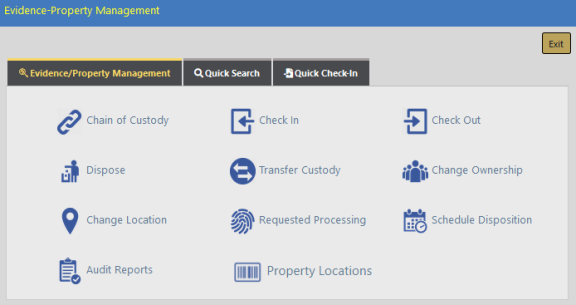
The Evidence/Property Management landing page contains three tabs:
| • | Evidence/Property Management |
| – | Contains a link to all the property management functions. The Evidence-Property Management screen defaults to this tab. |
| • | Quick Search |
| – | Allows you to search property records by System ID, Incident Report #, or both. Additional search options include Officer First Name, Officer Last Name, and Officer Badge #. You must fill in at least one. (Name search is available in other searches as well, not just Quick Search.) |
| • | Quick Check-In |
| – | Allows you to Check In property quickly by using the barcoded System ID and Location Code. |
For details on accessing the Evidence/Property Management module, refer to Evidence/Property Mgmt Access.