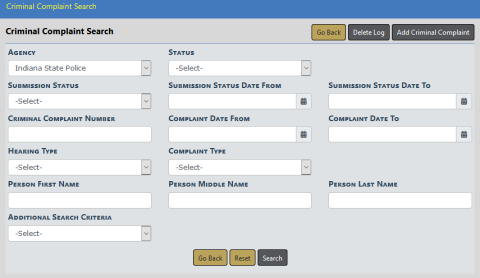
To search Criminal Complaints follow these steps:
1. Access the Criminal Complaint module. For instructions, refer to “Criminal Complaint Overview”.
| 2. | A Criminal Complaint Search window appears. |
Note: Click on the Add Criminal Complaint button to add a Criminal Complaint. For more information, refer to “Add a Criminal Complaint”.
Note: Click on the Delete Log button to view the Criminal Complaint Delete Log, a listing of deleted Criminal Complaints.
| 3. | Enter the search criteria into the fields provided. The more criteria you use, the shorter the results list. |
| • | Select Additional Search Criteria to search on Custom Fields. |
| 4. | Click the Search button to display the search results. |
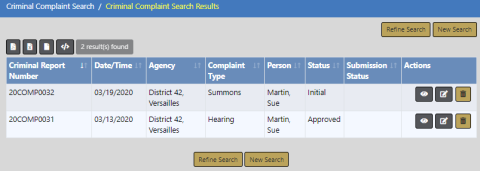
You can, with appropriate permissions, view, edit, and delete Criminal Complaint records from the results window.
| • | Click on the View icon  to view. For more information on viewing, refer to “View a Criminal Complaint”. to view. For more information on viewing, refer to “View a Criminal Complaint”. |
| • | Click on the Edit icon  to edit. For more information on editing the Criminal Complaint, refer to “Edit a Criminal Complaint”. to edit. For more information on editing the Criminal Complaint, refer to “Edit a Criminal Complaint”. |
| • | Click on the Delete icon  to delete, enter a Comment at the prompt to explain why you are deleting it, then click Delete. to delete, enter a Comment at the prompt to explain why you are deleting it, then click Delete. |