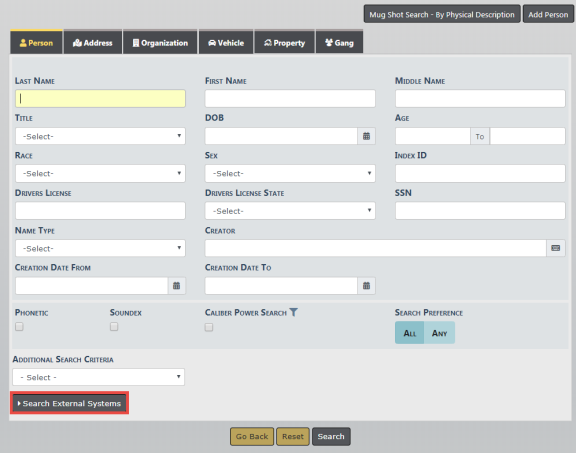
When searching directly from the Person, Vehicle or Property tab on the Master Indices screen, select the Search External Systems link to expand the list of available search interfaces for the master indices.
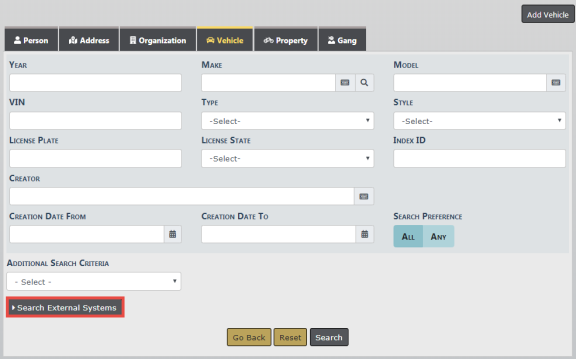
The Search interface displays under the Search External Systems button if you have the correct permissions. In this section, hovering over the information bubble by the interface name will determine the required attributes the user must enter for the search to execute.
The Search Status column contains the Status of the Interface. The Status indicates if all required attributes have not been populated for the search.
Once all the required attributes have been met, the Status will change to Ready. The Person, Vehicle and Property Master Indices search tabs all work the same.
Once you have the information complete and select Search, the Search results will display on a separate tab.
While viewing or editing a specific person, property or vehicle record, the user may execute an InterDEx query for more information by selecting InterDEx Search . Online RMS will execute the query for the specific person, property, vehicle record being viewed.
Online RMS displays a candidates list of potential matching results returned from InterDEx on a separate tab. Select Show Details to view additional information known for the person. Select Import Record to create a new master person record using the name information returned.
For details on importing a person record, refer to the Import/Update Person Results from External Systems section of Adding Person.