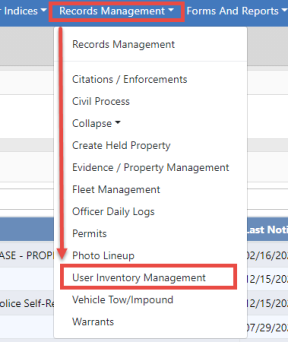
Use the following procedure to access the User Inventory Management module:
From the Home page, click the Records Management label to display a drop-down menu as shown.
Select the User Inventory Management option to display the Inventory Management page as shown below. There are four tabs available:
| • | View My Stock |
| • | Self Check Out |
| • | Self Check In/Transfer |
| • | Dispose Consumable Items |
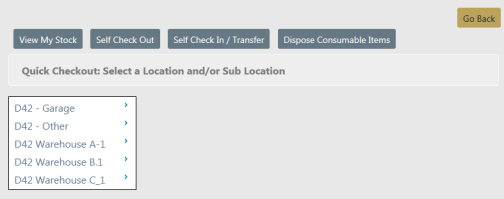
Note: Depending upon your agency’s configuration set-up and your roles and permissions, the options displayed may vary.
Select View My Stock to open the view My Stock – Search Results page.
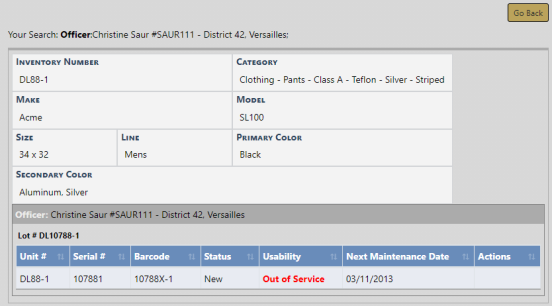
This allows the Officer/Employee to view the items that have been issued or checked out to them.