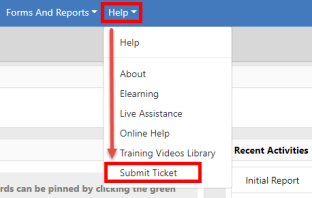
1. Click Help on the top menu bar, then Submit Ticket.
| 2. | Follow one of the options below: |
a. If your account is not configured to log into the Team Support website automatically, a pop-up Online RMS Support window opens.
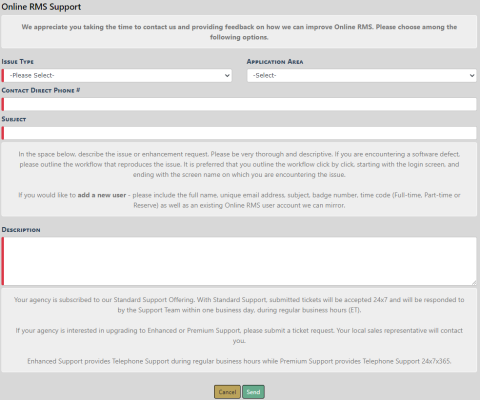
| - | Complete the form then click Send. |
b. If your account is configured to log you into the Team Support website automatically, Team Support opens in a separate window.
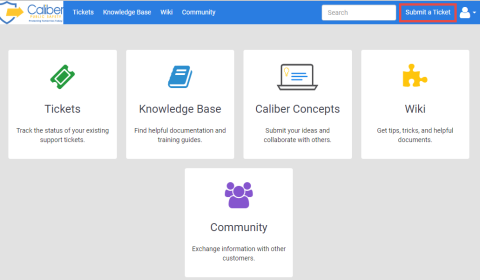
| - | Click Submit a Ticket and follow the Team Support ticket procedure. |
| - | Sign Out and close the window when finished. |