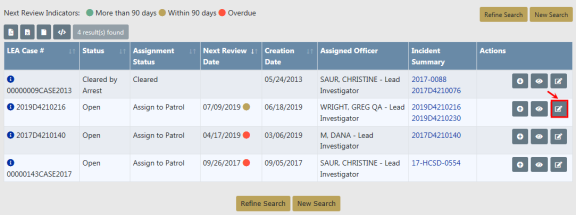
 in the Actions column.
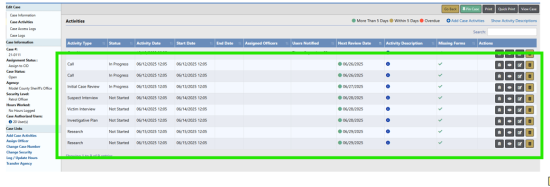
The Case Activities tab of a Case contains activities on the case, such as notes made by the officer or investigating officer, status and type of activity performed on the case, important dates, and the hours worked on each activity. You can also assign officers when adding a Case Activity.
1. Use one of two methods to initiate a new Case Activity record.
| • | From the Case Search Results screen. For instructions on Case searching, refer to Review Cases. |
| – | Search for and locate the Case, then click on the Add Case Activity icon in the Actions column. |

| • | From the Case Activities tab of the Edit Case page. |
| – | Search for and locate the Case, then click on the Update icon  in the Actions column. in the Actions column. |
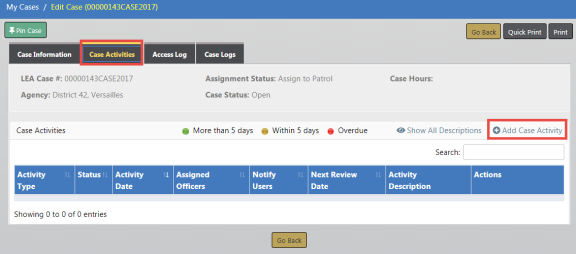
| – | Click on the Case Activities tab of the Edit Case page, then click on Add Case Activity. |
| 2. | The Add Case Activity page opens. Enter the necessary information into the fields provided, then click the Save Activity button. |
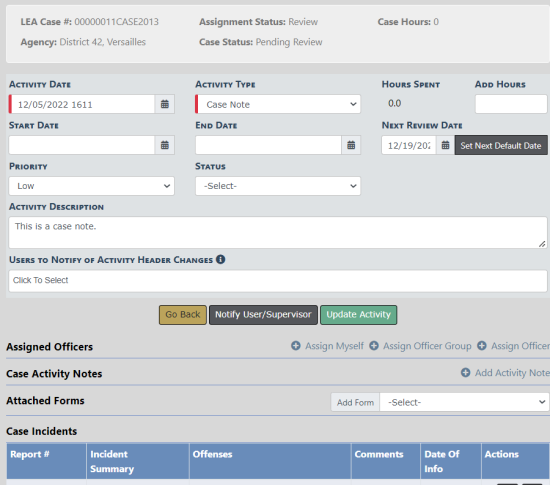
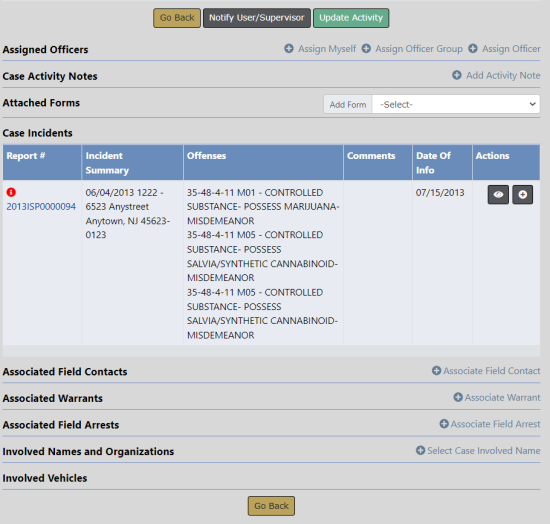
| 3. | The page changes from Add Case Activity to Edit Case Activity, and the Save Activity button changes to Update Activity. |
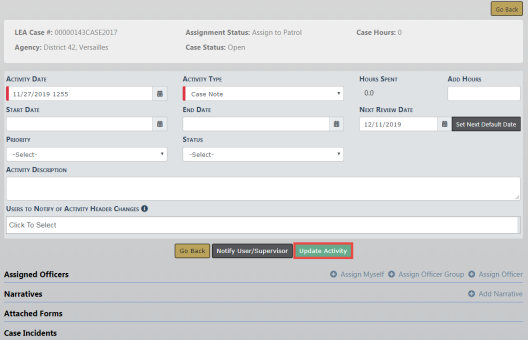
| 4. | Optionally make additional changes or page down and add officers, narratives, and other information to the Case Activity. |
When adding officers, you can assign yourself as the officer, add an officer group , or assign one officer by clicking on the respective link.
Case Activity Templates
Case activities can also be added by selecting case activity templates, when and where available, from the case:
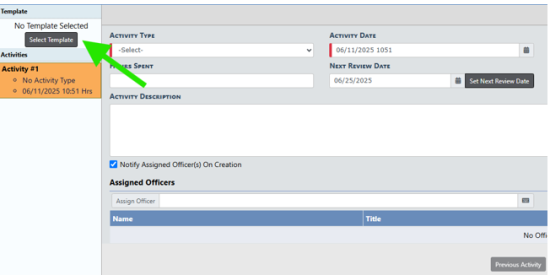
Simply select which template to use...
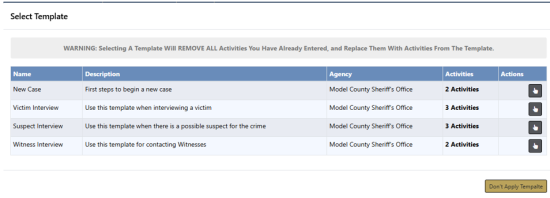
...Modify each activity from the default values...
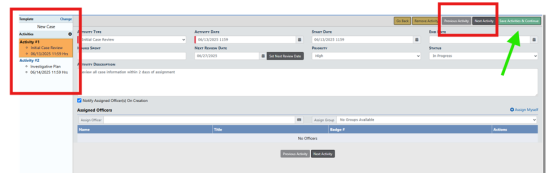
...And save activities and continue in order to include and save. The result is multiple case activities added in just a few steps:
To use case activity templates, the agency must have the feature Case Activity Templates, configured from Administration / Module Configuration / Case Management. Add the activity template and the name and agency for the template, add activities (as many steps as desired), and configure template activities per step.
For more information on adding information to the Case Activity, refer to Update Case Activity.